
If you are considering an eReader in 2026, chances are you have compared Onyx BOOX devices with the Amazon Kindle. So which one actually delivers more value, especially for readers, students, and professionals in New Zealand? This guide goes beyond the surface to weigh up the real-world use cases, features, and trade-offs, and help you decide whether BOOX is the best alternative to Kindle in NZ.
What Is Onyx BOOX, and Why Is It Gaining Popularity?
Onyx BOOX is a premium, Android-based eReader brand for people who want more than just reading. Unlike traditional eReaders, BOOX devices pair an E Ink display with tablet-like flexibility:
- Runs on Android, so you can install apps like Kindle, Google Drive, and Dropbox
- Supports many formats (PDF, EPUB, MOBI, DOCX, and more)
- Note-taking with a stylus, ideal for students and professionals
- Split-screen multitasking
- Larger screen options, up to 10.3 and 13.3 inches
You can browse the range in the BOOX tablets collection.
Kindle vs BOOX in 2026: The Core Difference
The biggest difference comes down to ecosystem versus flexibility.
Kindle (by Amazon) is a closed ecosystem – best for pure reading, with seamless access to the Amazon store and a simple, distraction-free experience.
Onyx BOOX is an open Android system – a multi-purpose device for reading, note-taking, and productivity, with full app freedom (the Kindle app, Kobo, PDF tools, and more). It suits power users.
In short: if you only want to read novels, a Kindle is enough. If you want a Kindle alternative for study or work, BOOX is the better fit.
BOOX vs Kindle Paperwhite: Which One Wins?
The Kindle Paperwhite is affordable, waterproof, has excellent battery life, and is great for Amazon books. BOOX, on the other hand, reads almost any format, installs apps like Libby or Scribd, offers larger screens for PDFs, and is better for academic reading.
Verdict: the Paperwhite is best for casual reading; BOOX is best for flexibility and academic use.
BOOX vs Kindle Scribe: The Real Competition
This is where things get serious. The Kindle Scribe focuses on note-taking and reading with a clean interface, but has limited export and app support. The BOOX Note series adds advanced note-taking tools, full Android apps such as Evernote and OneNote, better file management, and cloud sync. For productivity, BOOX wins; the Scribe stays simpler.
Why BOOX Is a Great Alternative to Kindle in NZ
For New Zealand readers, BOOX solves several common Kindle limitations:
- Local and global content: use apps like Libby and Kobo, with no Amazon lock-in.
- Ideal for students: annotate PDFs, highlight textbooks, and use split-screen for research.
- Better for professionals: read reports and documents, take handwritten notes, and sync to the cloud.
- No format restrictions: EPUB, PDF, DOCX, TXT, and HTML all work.
Kindle vs Android eReader: Why It Matters
A Kindle offers limited functionality, no app store, and restricted file types. An Android eReader like BOOX lets you install any reading app, use productivity tools, and customise the device fully – the key reason many readers switch.
The Benefits of Choosing Onyx BOOX
- All-in-one device: read, write, annotate, and browse without juggling multiple gadgets.
- Better for study: highlight lecture notes, annotate PDFs, and organise study material.
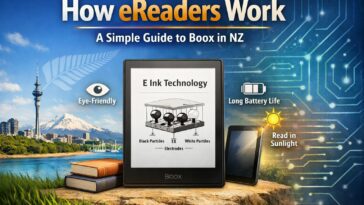
- Eye-friendly display: E Ink reduces eye strain compared with LCD tablets.
- Multitasking: split-screen lets you read and take notes, or open a browser beside a PDF.
Who Should Buy a BOOX?
Students in New Zealand for university notes, research papers, and assignment annotations. Business professionals for reports, contracts, meeting notes, and document review. Avid readers who want multiple book platforms, large-screen reading, and their choice of reading apps.
Pros and Cons of Onyx BOOX
Pros: open Android system, support for all major formats, excellent note-taking, large display options, and multi-app support.
Cons: a higher price than Kindle, a slight learning curve, and battery life that drains a little faster than a Kindle.
When Should You Choose Kindle Instead?
BOOX is powerful, but it is not for everyone. Choose a Kindle if you only read novels, you want maximum simplicity, you rely heavily on the Amazon ecosystem, or your budget is tight.
Frequently Asked Questions
Is Onyx BOOX better than Kindle in 2026?
It depends. BOOX is better for flexibility and productivity, while Kindle is better for simple reading.
Can I use Kindle books on BOOX?
Yes. You can install the Kindle app on BOOX and read your existing library.
Is BOOX good for students in NZ?
Yes. It is one of the best Kindle alternatives for students, especially for PDFs and note-taking.
Does BOOX support the Google Play Store?
Most BOOX devices support Google Play, so you can download the apps you need.
Which is better, BOOX or Kindle Paperwhite?
The Paperwhite is better for basic reading; BOOX is better for advanced use.
Is BOOX worth the price?
If you need more than just reading, yes – the added flexibility and productivity are well worth it.
What is the best alternative to Kindle in NZ?
Onyx BOOX is one of the best alternatives to Kindle in New Zealand, thanks to its flexibility and features.
Final Verdict: Is Onyx BOOX Worth It?
Here is the bottom line: a Kindle is a book reader, while Onyx BOOX is a productivity tool in the shape of an eReader. For readers in New Zealand – especially students, professionals, and tech-savvy readers – BOOX offers far more value in 2026. If you want freedom, flexibility, and future-proof features, explore the BOOX range and find your fit.